 ChatGPT
 Claude
 Perplexity
 Gemini
 Grok
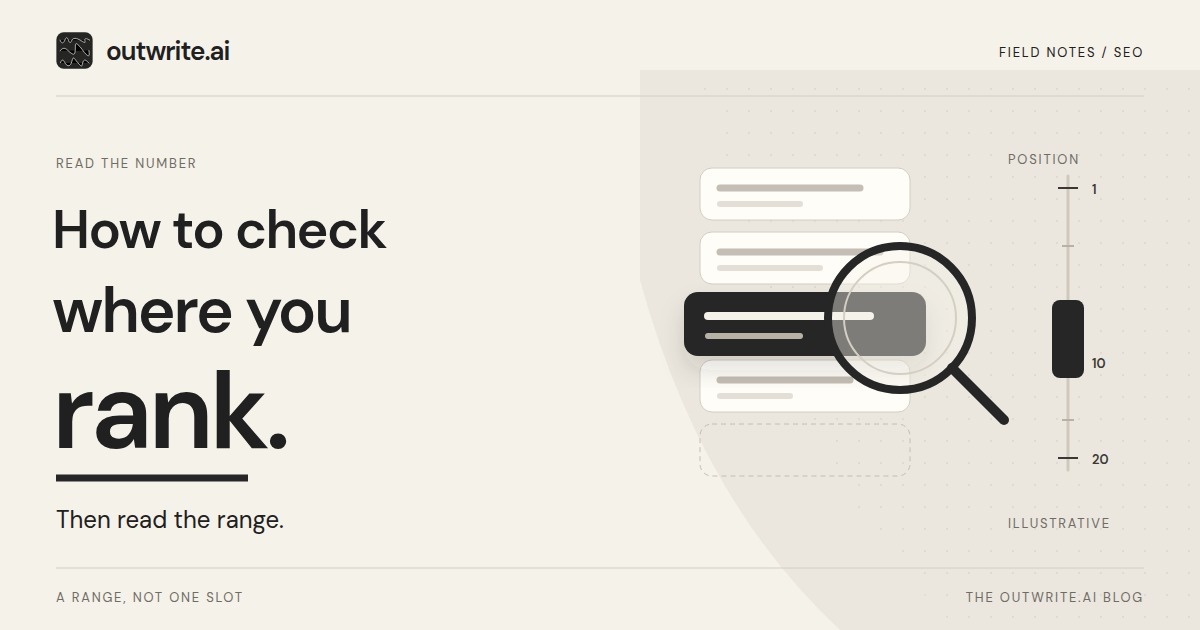
Search Console, a manual search, and a rank tracker answer different questions. Search Console reports the average position of your site from impressions Google actually served. A manual search shows one screen for one person. A rank tracker is for repeating a keyword, a location, and a device you choose in advance.
Below: which method answers which question, how to read one Search Console row, why the numbers disagree, and what to do with the figure. Average position is the topmost result from your site, averaged over impressions, so it can differ from the screen in front of you.
Use the row that matches the decision you are making.
| Method | What it tells you | Limits | When to use it |
|---|---|---|---|
| Search Console | The average of the topmost position for your site, across impressions in the date range you set. | One number mixes people, devices, and places. A property total and a page row count links differently. | You want Google's own record for a query, or for one page on your site. |
| Manual search | The results on the screen in front of you, including the titles and what sits above your page. | History, location, device, and time can change the order. One search is not the average. | You want to see the page a person gets in one sitting. |
| Rank tracker | A repeated snapshot for a keyword, location, and device you fix in advance. | It is not Google's impression data. A third-party tool cannot see Google's internal rankings. | You need the same check again later, not an average of everyone's searches. |
How do you check your ranking in Search Console?
Open the Performance report for Search results, turn on Average position, filter to the query, then read the Pages tab for the URL you care about.
The report opens on clicks and impressions for the past three months. Above the chart, turn on Average position. The date and search type filters stay on the report. For an ordinary query, leave the type on Web, text-based. Image, video, news, and camera-style searches are separate. Do not mix them into one ranking.
- Set the dates. Click the date filter and choose the period you will come back to. The chart covers that whole range for the property.
- Filter the query. Open the Queries tab. Click the query row, or use + Add filter and choose the query. The row's average position is for your property, which can include more than one URL.
- Read the page. With that query filter still on, open the Pages tab. Pages are grouped by page. Click the URL, or add a page filter, so the row is the page you mean rather than every URL that appeared for the query.
- Slice only when you need to. Add a country or device filter, and leave it on when you return. You can combine filters, such as a country and a device. Countries, devices, and dates in the table are grouped by property. A property total and a page total are different counts. Google's example is a knowledge panel: one impression for the property, and five when the same element is split by page. Do not compare those two totals as if they were the same measurement.
A missing query doesn't mean the page never appeared. Filtering by query or page can change the totals, because Google omits anonymized queries and cuts off very long tables.
How do you read average position without fooling yourself?
Read it as the topmost position of a link to your site, averaged over the impressions in that row, not as the slot you will see on your next search.
Google counts only the highest link on a given search. A query that shows your site at positions 2, 4, and 6 counts as 2. A query at 3, 5, and 9 counts as 3. In that example the average is 2.5. A lower link on the same screen does not pull the number down. Each recorded impression contributes its topmost position once, so a query seen more often moves the average more than a query seen once.
This example is illustrative: Northwind Bakery is fictional, and the figures were invented. Over the 28 days in the filter, the query "sourdough loaf" on /bread has 30 impressions at a topmost position of 10 and 10 impressions at 2, because some searches also linked the page from a higher element. Thirty times 10 is 300, ten times 2 is 20, and 320 divided by 40 is 8. The 2s sit inside the average. They do not mean a typical customer saw the page second.
Forty impressions is a thin sample, so one unusual day moves it. Compare the next 28 days with the same query, page, search type, country, and device. Leave out days the chart still marks with a dotted line, because those days can still change. A gap between the windows is something to watch. It does not, by itself, show that an edit caused the change.
Position 1 is the topmost result. A larger number sits further down, and the same integer can be a side element on a desktop page or a lower row in mobile image results. A position is recorded only when the link gets an impression. An ordinary result on the loaded results page can count even without scrolling to it; links inside expandable or separately scrolling elements may need to be revealed first.
Why does my own Google search show a different position?
Your own search is one look at the results, and Google says it can differ from the average because of your search history, location, and similar variables.
The Performance report says the same thing from the other direction. A query can appear in the table, and your site can still be missing when you run that query, because results depend on the time, the place, the device, and the recent history of the person searching. Note the device and location you searched from. Use that screen to read the titles and see what sits above you. It is not a correction to the Search Console row.
When is a rank tracker worth it?
Use a rank tracker when you want the same keyword, location, and device checked again later, instead of an average of the searches Google already counted.
Search Console already records the impressions. A tracker earns a place in the routine when the question is narrower: this keyword, this city, this device, on a schedule you choose. That snapshot and the Search Console average are different questions, so the two numbers can disagree without either one being wrong.
Judge the tool with Google's third-party guidance. These tools do not have Google's internal ranking data, and they cannot guarantee performance. A forecast is the tool's own. Google does not evaluate the products. Prefer one that describes its method plainly, and keep Search Console as the record of what Google served.
How do AI Overviews and AI Mode affect what you see?
An AI Overview takes a single position, and every link inside it shares that position. AI Mode positions follow the same method as an ordinary results page.
A follow-up question counts as a new query. Search Labs experiments are not included in these reports.
Google also offers a separate Generative AI performance report for Search. It shows impressions in AI Overviews and AI Mode, grouped by page, country, device, and date. Position and clicks stay in the main Performance report, and Google includes those AI impressions there as well. The separate report can be absent when a site has had too few of these impressions. That absence is not evidence you never appeared. The report is available to websites worldwide.
What should you do with the number?
Keep the number that matches the question you asked, then use it as the start of work on one page, not as a score for the whole site.
If the question was where one URL stands for one query, keep the Search Console row with the query filter and the page filter together. Moving that page is a different job. How to rank higher in Google is the repeatable pass for one query and one URL.
When the three methods disagree, write down which question each figure answers, and do not blend them into a fourth number. Come back to the same filters and a date range of the same length. If the query is really a planning question, about which page should answer it, use Search Console queries as a content plan. A pass across many URLs belongs in the SEO checklist.
Where outwrite.ai fits
With Search Console connected, outwrite.ai includes Google clicks and impressions on Simple, and adds search queries on Pro. The results report keeps that Search Console data in one view, with AI visibility as its own measurement.
Ranking in Google is a different question from whether an AI answer mentions you. The free AI visibility check needs no account and no credit card. It reads your public site and checks ChatGPT, Gemini, and Google AI Mode for three buying questions from that site. To keep the Search Console report in the same workflow, try outwrite.ai free for seven days, with no credit card required.
Sources and scope
The Google Search Central and Search Console Help pages below, and the outwrite.ai pages linked in this article, were checked on November 20, 2026.