 ChatGPT
 Claude
 Perplexity
 Gemini
 Grok
GrokGoogle Search Console can help answer a useful editorial question: what are people already finding your website for, and what should you do about it?
The answer is rarely “turn every query into an article.” Sometimes the right move is to improve a service page. Sometimes a promising query belongs to the wrong audience. Occasionally there is a distinct buying question that deserves a new page.
This walkthrough shows how to turn search data into those decisions. All numbers in the worked example are hypothetical. They are not outwrite.ai's traffic, a customer case study or a forecast.
1. Collect a comparable view of your search performance
Open the Search results performance report and choose a period long enough to show more than daily noise. As a starting workflow, compare the latest 28 complete days with the preceding 28. For a low-traffic or seasonal business, examine a longer period and relevant year-over-year context too.
Keep the search type, country and device settings consistent. Separate branded queries from non-branded queries where possible: someone searching for your business name is doing something different from someone comparing providers.
Google's performance report provides clicks, impressions, CTR and average position, with views including queries, pages, countries and devices. CTR is clicks divided by impressions. Average position is an aggregate, not a fixed rank every searcher sees.
For an editorial decision, inspect the query and the page together. Select a page and examine its queries, or select a query and inspect its pages. A large site-wide number can hide the specific page that needs attention.
2. Read the query-page pairs as customer decisions
Imagine a small business selling appointment scheduling software. Its review sheet might look like this:
| Query | Current page | Impressions | Clicks | Avg. position |
|---|---|---|---|---|
| appointment software for salons | Salon product page | 1,200 | 18 | 11.8 |
| salon booking software pricing | General pricing page | 360 | 9 | 8.2 |
| salon booking app vs spreadsheet | General scheduling guide | 240 | 2 | 17.4 |
| free appointment reminder templates | Reminder template article | 2,400 | 120 | 4.6 |
The template article has the most clicks. That does not automatically make more template articles the best investment. You still need to understand who uses them, whether the product helps those people and whether the visits lead anywhere useful.
The comparison query has fewer impressions, but it describes a decision the product can help someone make. It may deserve attention if the current guide does not answer it. Position and volume are evidence to investigate, not a formula that decides for you.
3. Give each opportunity one of four actions
| Action | When it fits | Example |
|---|---|---|
| Improve an existing page | The page matches the decision but leaves important questions unanswered | Add accurate salon-specific details to the salon product page |
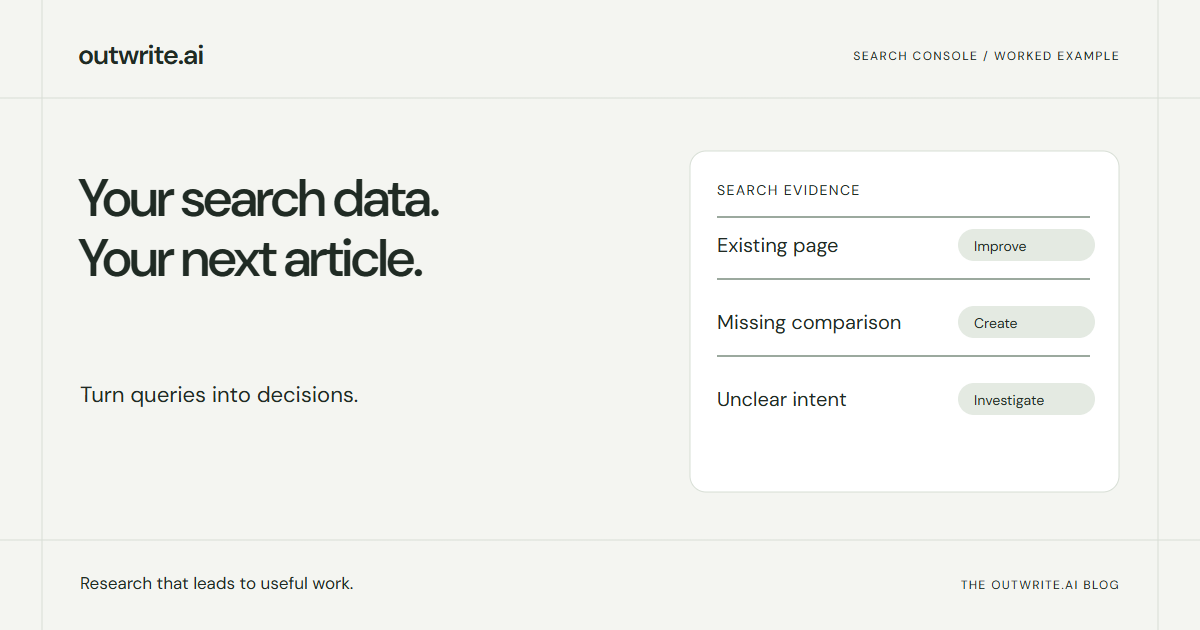
| Create a distinct page | The decision is relevant and existing content does not cover it properly | Compare booking software with spreadsheet-based scheduling |
| Investigate first | The numbers are interesting but the reason is unclear | Review a pricing snippet and the results around it |
| Leave it alone | The query is irrelevant, already served well or unsupported by evidence | Skip broad template variations unrelated to the product |
“Improve” does not mean stuffing the exact phrase into more headings. Read the page as the prospective customer. Can they understand fit, price conditions, limitations and the next step?
“Create” needs an overlap check. If the general guide already gives a thorough comparison, improve its navigation or relevant section instead of splitting it into a near-duplicate page.
4. Check the live results and your actual offering
Before writing, look at the results for the proposed topic in the market you serve. Are they comparison articles, product pages, directories or practical tutorials? That tells you what kind of answer the searcher may expect.
Then ask what your business can contribute. For the spreadsheet comparison, useful material could include a real setup example, an honest account of where spreadsheets work well, and the point at which automated reminders become useful. Do not invent customer savings or pretend a manual method never works.
A competitor's page can help identify missing coverage. It should not become the outline you copy. Your brief needs a reason your version deserves to exist.
5. Turn the decision into a brief someone can execute
Here is a compact brief for the hypothetical comparison:
- Reader: a salon owner currently organizing bookings in a spreadsheet.
- Decision: whether the extra cost and setup of booking software are worthwhile.
- Evidence: a relevant query already surfaces the site, but the current guide does not directly answer the comparison.
- Contribution: show the workflow for both options, with setup requirements, limitations and a simple decision table.
- Existing coverage: link to the salon page and relevant pricing details; avoid repeating the entire scheduling guide.
- Checks: verify every product feature and price condition; use clearly labeled examples.
- Next step: offer the product trial where it helps the reader evaluate the choice.
This brief is useful even without a numeric priority score. If you have many candidates, rank them by business relevance, strength of evidence, distinct value and effort. Keep the reasoning beside the ranking so a weak idea cannot win merely because its search volume is large.
What Search Console cannot tell you
Search Console is not a complete list of everything people search for. Its data is subject to privacy and reporting limits. The Search Analytics API also returns top rows rather than guaranteeing every possible row. An absent query does not prove there is no demand.
It also does not show competitors' private search performance, your revenue, or every AI conversation in which your company appears. Use public market research for competitor questions and your own analytics or sales records for conversion outcomes.
Keep ordinary search reports and AI visibility samples clearly labeled. A query with Google impressions is confirmed search activity in that report. A proposed AI prompt is a question worth checking, not proof that a known number of people asked it.
6. Record what changed and revisit the same decision
When you publish or update a page, save the date, the reason and the main changes. Revisit its relevant query-page pairs after enough data has accumulated to make a comparison useful. Avoid judging a low-volume page from one week.
If impressions rise but clicks do not, inspect intent, position, device and the search results before rewriting the title. If clicks rise but trials do not, examine the offer, audience and conversion path. If nothing moves, investigate indexing and whether the page actually offers a better answer.
Do not attribute every increase to your edit. Seasonality, competitor changes and changes in search presentation can also affect results. The log helps you form better hypotheses, not prove causation on its own.
How outwrite.ai uses the connection
Connecting Google Search Console to outwrite.ai gives it read-only access to the selected property's search performance. It uses an initial 56-day baseline, then refreshes the connection on an ongoing basis. Relevant page and query evidence can inform planning alongside the website's coverage and other research.
You can connect during onboarding or later. The connection is optional, and a new site without much search history can still use the platform. Suggestions to improve an existing page do not give outwrite.ai permission to rewrite that page on your website.
Use the connection guide for setup. If you want help turning your site's context into ongoing content, try outwrite.ai for seven days without a credit card. The useful result is a plan with reasons you can understand, not another spreadsheet of keywords.