 ChatGPT
 Claude
 Perplexity
 Gemini
 Grok
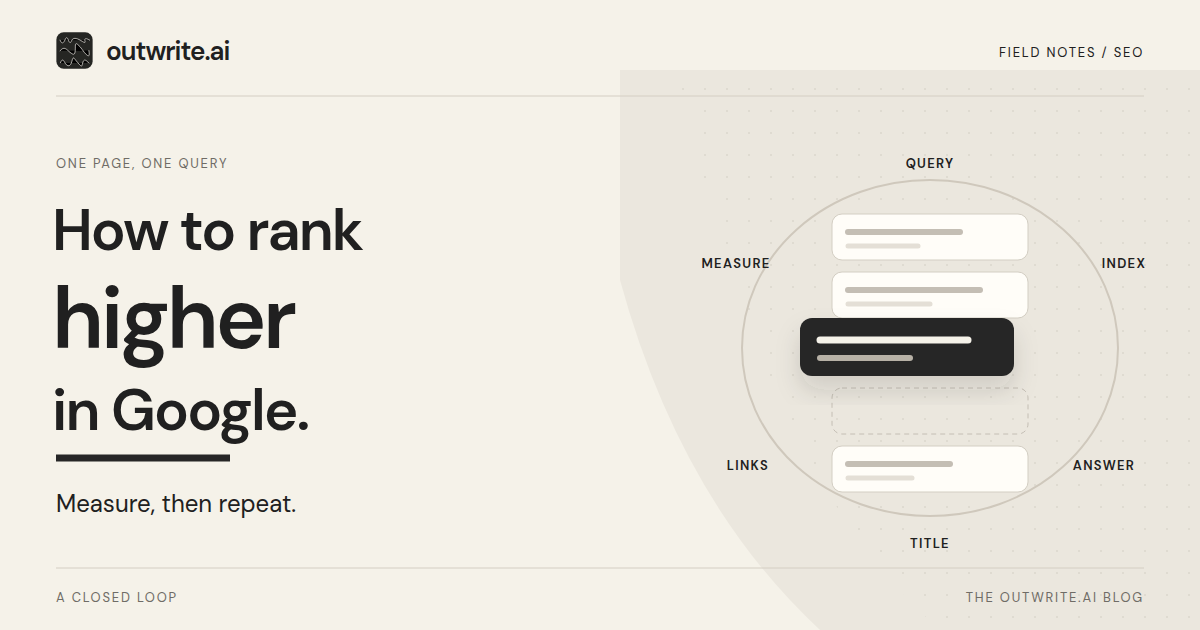
To rank higher in Google, work on one query and one page, then measure that same view before the next edit. Each step names the tool that verifies it. A pass across many URLs belongs in the SEO checklist.
Page ranking loop. Scroll sideways for all columns.
| Step | What you do | Tool that verifies it | When to move on |
|---|---|---|---|
| 1. Query | Filter to one query and the page that should answer it. Record clicks, impressions, click-through rate, and average position. | Search Console Performance report, query and page filters. | The query, URL, date range, and four metrics are written down. |
| 2. Index | Confirm Google can crawl and index that URL, and note the selected canonical. | URL Inspection. | The URL can be crawled and indexed, or any noindex, robots.txt block or duplicate is fixed first. |
| 3. Answer | Search the query, note what the reader needs, and add what the page lacks. | A normal search, then a read of the live page. | You can point to the sentences that answer the query. |
| 4. Title | Make the title element and meta description describe this page. | Rendered HTML. The title link in results is a later observation. | Both fields match the page, without repeated phrases. |
| 5. Links | Add descriptive anchors from related pages. | Open those pages. URL Inspection if script inserts the anchor. | The links resolve to this URL and name the page. |
| 6. Measure | Wait, then compare an equal, complete window with the same filters. | The same Performance filters, excluding preliminary days. | The window is complete. Choose the next single change. |
Which page and query should you work on first?
Open the Performance report, keep search type on Web, and add a query filter and a page filter together, as the filtering help describes. Save clicks, impressions, click-through rate, average position, the dates, and the search type.
Average position is the position of the topmost result from your site, averaged over impressions. The chart covers the property. A table row covers that query or URL, so filter to the page before you treat the figure as that page's position. It will differ from one personal search, which also varies with time, place, device, and history.
As a screening suggestion, prefer impressions with an average position roughly between 5 and 20, on a page a customer can act on.
Google does not list every query, and a query or URL filter can omit anonymized queries. A missing row leaves that overlap unknown. Check the live results and URL Inspection separately, and start the edit on a query the report shows.
Can Google index the page you want to rank?
In URL Inspection, open the exact URL. Read Crawl allowed, Indexing allowed, the user-declared canonical, and the Google-selected canonical on the indexed version. Indexing allowed reports a noindex instruction when Google could see one. If robots.txt blocks the crawl, Google cannot read that noindex, and Indexing allowed stays "Yes". The URL may still appear. A crawl block and a noindex tag are separate controls.
The live test is the page Google can fetch now. It does not show that the fetched version is indexed, and it does not predict the canonical. On the indexed data, compare your declared canonical with the one Google selected. Google may choose a different URL.
Use a canonical for duplicate or very similar pages you are keeping. A shared query or a weaker position leaves distinct pages separate. Retiring a redundant URL means a permanent redirect, keeping the useful material, and updating internal links. Google's canonical guidance treats both a redirect and a rel="canonical" annotation as signals, with the redirect stronger.
How do you make the page the best answer for that query?
Note the job a customer is trying to finish: compare options, see who a service is for, understand what is included, or take a next step. Read your page in that role. Keep what does the job, add the missing piece, and cut a section that only repeats the opening.
Google's helpful-content guidance says its systems prioritize helpful, reliable information created for people. It asks whether you added something beyond a copy of other sources. The SEO Starter Guide adds that compelling, useful content is likely to matter more than its other suggestions.
If another URL on your site already answers the query, work on that URL. A genuinely different job can be a new page. See how to turn Search Console queries into a content plan.
Do your title and description match the search?
Google builds the title link from several sources, including the title element, the visible heading, other prominent text, and anchors that point at the page. Set a descriptive, concise <title>. Skip a boilerplate label such as "Services" on its own, and don't repeat the query or close variants several times in one title. The title link in results can differ from your element, after Google recrawls. Confirm the input in the rendered HTML, and treat the result text as a later observation.
Snippets come mainly from the page content. Google sometimes uses the meta description when it describes the page more clearly. Write a description that is unique to this URL. A long string of keywords is less likely to be used as the snippet.
Which internal links should point to the page?
Google uses links as a relevancy signal and to find pages to crawl. Use a crawlable <a href>. Good anchor text is descriptive, reasonably concise, and relevant on both pages.
Choose pages a reader would already be reading, such as a services index or an article on a neighboring question. Open each page and confirm the link lands on this URL. If script inserts the anchor, check the rendered HTML in URL Inspection.
What should you leave alone?
Google Search does not use the keywords meta tag. Keyword stuffing, repeating words until the page is tiresome, is against Google's spam policies. From a ranking perspective, keywords in the domain name or URL path have hardly any effect beyond appearing in breadcrumbs. Length alone does not matter. There is no magical word count, and the helpful-content questions say Google has no preferred one.
Page experience is a separate standard. Google's page experience guidance says: "Google's core ranking systems look to reward content that provides a good page experience. Site owners seeking to be successful with our systems shouldn't focus on only one or two aspects of page experience." Check the Core Web Vitals report in Search Console, and run Lighthouse or PageSpeed Insights on the page.
How long should you wait before judging the change?
The starter guide says some changes show within a few hours and others take several months, and that you generally want a few weeks before judging. A recrawl request is optional. Google's recrawl page says crawling can take a few days to a few weeks, and that a request does not guarantee inclusion soon or at all. Individual URL requests have a quota, repeating one URL does not speed it up, and the request needs an owner or full user. For many URLs, submit a sitemap.
Match the baseline: same length, query filter, page filter, and search type. A practical pair is 28 days before and 28 days after, excluding preliminary days, which the chart marks with a dotted line. Weekly and monthly views smooth weekend and holiday swings. Compare similar seasons. The 28-day length is a suggestion. Change one thing at a time when you can.
One limit on the reading: a gap between the windows is monitoring. It does not, by itself, show that the edit caused the change. Record other work from the same period, and give a sparse page a longer window.
What does one pass look like on a service page?
This walkthrough is illustrative. Harbor & Pine is a fictional landscaping firm, and the figures below were invented for the example.
The firm wants its lawn-care page to rank for "lawn care for small yards." In this example, that query and page have 420 impressions over 28 days and an average position of 11.
- Query. They filter to the query and
https://harborandpine.example/lawn-care, and save the date range, impressions, and average position. The homepage shows for broader lawn queries, so they leave it for another pass. - Index. URL Inspection shows the service page can be crawled and indexed, with that page as the selected canonical.
- Answer. Useful results explain what a small-yard visit includes. The page says "we mow lawns" and lists other services. They add the visit details and remove the extra list. The URL is the right one and the answer is thin, so they refresh it. An article on how often to mow answers a different question, so it stays. A guide to preparing for a first visit would be a new page. A second URL repeating this pitch would be retired with a permanent redirect, its unique details kept, and internal links updated.
- Title. "Services | Harbor & Pine" becomes "Lawn care for small yards | Harbor & Pine", with a meta description that matches the new section. They check both in the HTML.
- Links. The seasonal mowing article and the services index link with the anchor "lawn care for small yards".
- Measure. They wait a few weeks and open the next complete 28-day window on the same filters. They request a recrawl once, at most.
Where does outwrite.ai fit this loop?
outwrite.ai shows this Search Console view on Simple and Pro. Pro adds the refresh and the on-page checks.
Google Search Tracking, in Simple and Pro, brings clicks, impressions, click-through rate, and average position into one dashboard, with query, page, country, and device filters and 7, 28, and 90 day windows.
On Pro, content refresh finds articles worth updating and uses Search Console clicks and queries where they are available. You review first, or you explicitly choose refresh and publish. The change goes back to the original article at the same URL, and saved revisions can be restored.
On Pro, the SEO agent audits on-page titles, descriptions, image alt text, schema, and links. You can review suggestions or automate eligible fixes through the website script, and you can undo a change. Duplicate content is set out so you can decide which pages to keep or combine. Technical issues include instructions for your CMS or host.
For a separate look at AI answers, the free AI visibility check reads your public site, selects three buying questions, and separates a mention, a recommendation, and a citation across ChatGPT, Gemini, and Google AI Mode. No account and no credit card are required. To use Search Console reporting with refresh and the SEO agent, try outwrite.ai free for seven days, with no credit card required.
Sources and scope
The Google Search Central and Search Console Help pages below, and the outwrite.ai pages linked in this article, were checked on November 19, 2026.
- Google: SEO Starter Guide
- Google: Creating helpful, reliable, people-first content
- Search Console: Performance report
- Search Console: Advanced filtering and comparison
- Search Console: URL Inspection tool
- Google: How to specify a canonical URL
- Google: Influencing title links
- Google: Controlling snippets
- Google: Crawlable links
- Google: Page experience
- Google: Ask Google to recrawl