
 ChatGPT
 Claude
 Perplexity
 Gemini
 Grok
If you publish articles through a CMS, start by checking what it already emits. Your theme might already have the right headline, author and dates in a BlogPosting object. Adding another plugin before you check can leave you maintaining two versions of the same story.
Our suggested test uses one published post and a second test post. By the end, you should know which template owns the markup, which fields come from the editor, and what you will check the next time an article changes.
Inspect a published article first
Pick a normal blog post with a named author, a visible publication date and a lead image. Open the public URL in Google’s Rich Results Test. Look for an Article, BlogPosting or NewsArticle item. Also inspect the page source for application/ld+json. If the source and the rendered test disagree, find out whether a plugin adds the markup after the page loads. Write down the current values before editing the template.
Two objects on one page can describe different things. A breadcrumb and an article can coexist. If two objects describe the same article with different dates or authors, our first troubleshooting step is to trace each value to its template. Check the theme, SEO plugin and any custom header code separately to locate the source of each value.
Map the visible article to CMS fields
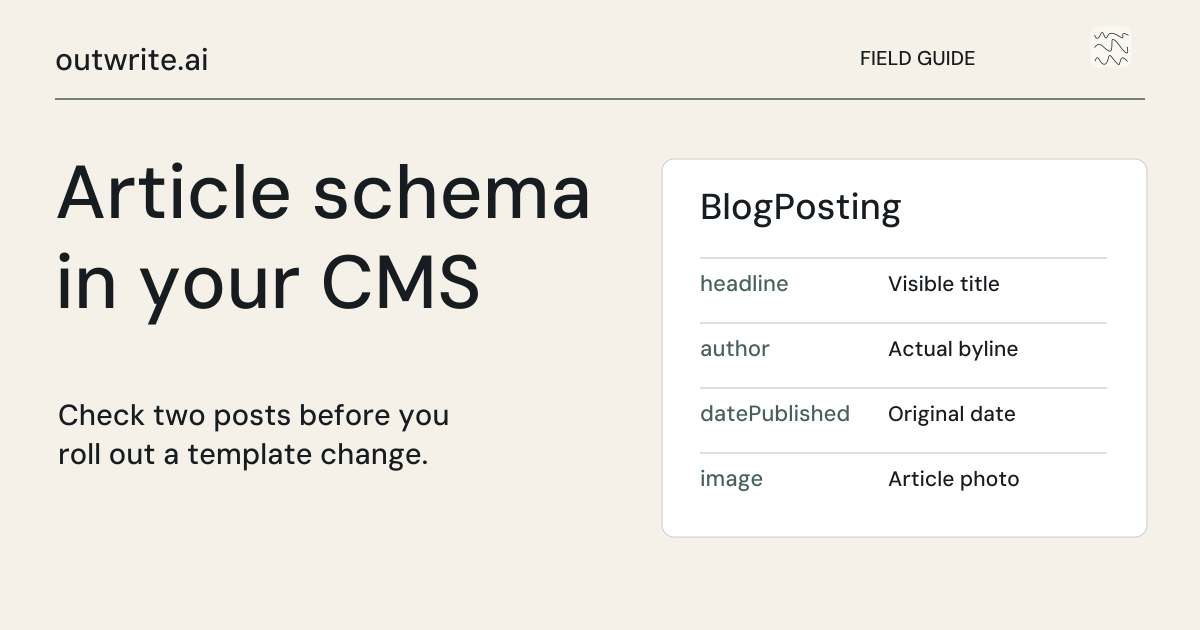
- Headline. Use the article’s actual headline. If an editor renames the post, the markup should pick up the change.
- Author. Match the byline. Use a real person or organization as appropriate, and include an author profile URL when one exists.
- Dates. Keep the original publication date. Use a modification date for a real update. Include a timezone so the meaning is clear.
- Image. Use a representative article image that can be fetched at its public URL. Our editorial check is to open it in a signed-out browser.
Google lists recommended Article properties and how to use them. Choose fields that describe the page accurately. We would omit an optional field when the editor cannot verify its value. Google’s Article documentation.
A small BlogPosting example
Suppose the visible page is a guide to inspecting a bicycle chain. Its byline reads Alex Rivera, and the article was published October 12 and updated October 20. A corresponding JSON-LD object could look like this. These addresses are placeholders.
{
  "@context": "https://schema.org",
  "@type": "BlogPosting",
  "headline": "How to inspect a bicycle chain",
  "author": {
    "@type": "Person",
    "name": "Alex Rivera",
    "url": "https://example.com/authors/alex-rivera"
  },
  "datePublished": "2026-10-12T09:00:00-04:00",
  "dateModified": "2026-10-20T10:15:00-04:00",
  "image": "https://example.com/images/chain-inspection.jpg"
}
Your CMS template should serialize this object inside a JSON-LD script element using its supported serializer. Store each article’s values in the CMS. Hard-coding this example in a global header would give every article the same headline and byline.
Test a second post before rolling it out
Choose a second article with a different author and no lead image. Check that its headline and byline change and that it does not inherit the first article’s photo. Preview an update to the first post and confirm its original publication date stays put. This catches template mistakes a single successful validation cannot reveal.
Run the public URLs through the Rich Results Test. If the test reports an error, open the property path it identifies and compare the value with the rendered article. If everything validates but the search result looks ordinary, that alone is not evidence of an installation problem. Google distinguishes eligibility from whether a feature actually appears. Structured data guidelines.
What changes for AI search?
Google says its generative search features require no special schema. Put the answer a buyer needs in the article itself. If a buying guide explains when a product is unsuitable, the reader should be able to find that explanation without opening the page source. For questions and answers, keep the useful visible section. Google has retired its FAQ rich result, so adding FAQ markup specifically to obtain that display is an outdated tactic. Google’s AI search guidance and Search documentation updates.
Whether that markup changes AI citations is a separate question, which our research on schema markup and AI citations looks at directly.
Once a template works, save the two test URLs and the date you checked them. Recheck both when someone changes the theme, plugin or author fields. If your goal is more citations, measure that separately from markup validity. Log the exact question, answer and cited URL when you check a result. A successful markup test and a citation are two separate observations.