 ChatGPT
 Claude
 Perplexity
 Gemini
 Grok
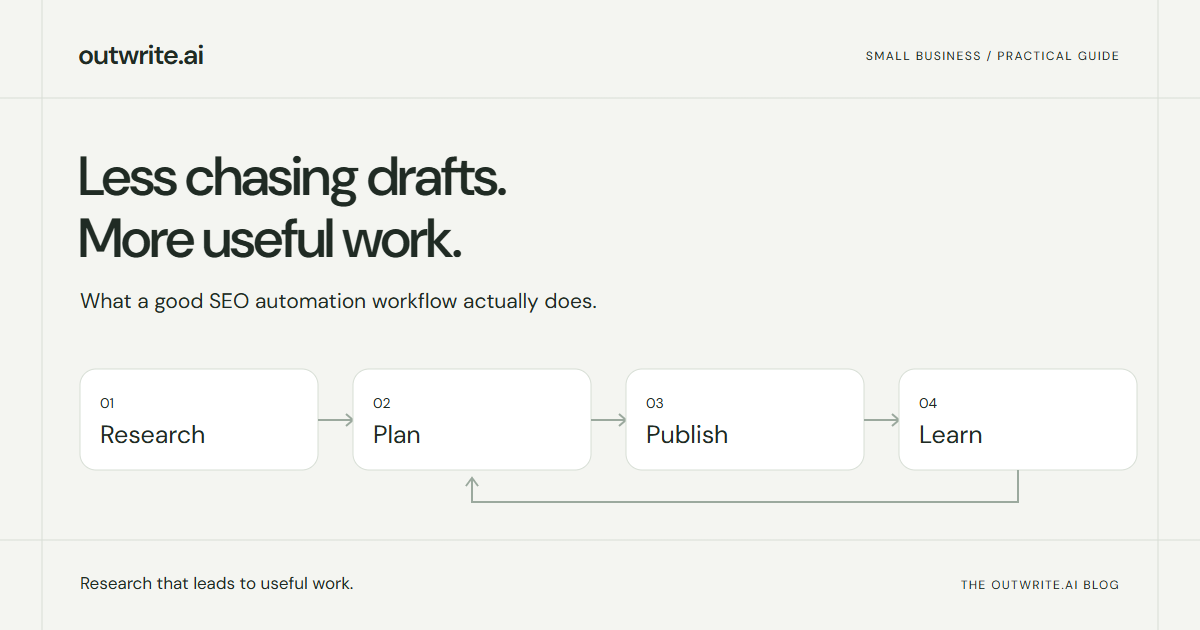
GrokFor a small business, useful SEO automation should reduce the work between “we should write about that” and a page that actually helps a prospective customer.
It should research the opportunity, check what your site already covers, prepare a credible article and put it through the right publishing process. Then it should use new evidence to improve the next decision. Producing more text is only one part of that job.
This guide gives you a practical way to set up that workflow, whether you use outwrite.ai, another tool, or a mix of software and people. The example business below is hypothetical. It illustrates the decisions, not a customer result.
What can a small business automate?
| Work | Useful automation | What still needs judgment |
|---|---|---|
| Research | Collect search evidence and inspect relevant pages | Whether the topic attracts the right customer |
| Planning | Group opportunities and check existing coverage | Whether a new page adds something worthwhile |
| Writing | Prepare an outline and sourced draft | Accuracy, product truth and original expertise |
| Publishing | Send approved work to the right destination | The permission to publish and exceptions to it |
| Measurement | Refresh search and visibility reports | What the evidence justifies changing |
A tool does not need permission to change your entire website to be useful. In fact, a clear boundary is helpful: you should know whether it creates new posts, suggests edits, or can actually modify existing pages.
Start with enough business context to reject bad ideas
Imagine a bookkeeping firm serving independent restaurants. “Best accounting software” may have plenty of search demand, but it is broad and may mostly attract people shopping for software. “Restaurant bookkeeping service versus an in-house bookkeeper” is closer to a decision that firm can help with.
Before generating a calendar, give the workflow the facts it needs:
- Who buys from you, including markets you do and do not serve.
- What you sell, how it works and any important exclusions.
- Existing service pages, useful articles and customer evidence.
- The questions prospects ask before buying.
- Claims that require approval, such as pricing, guarantees or regulated advice.
Your website can supply much of this. It may not supply all of it, especially if it is new or unclear. A short clarification about the intended customer is better than a calendar based on the wrong business.
Make the research produce a reason, not just a keyword
For each proposed article, ask for three things: the buyer's decision, evidence that the topic matters, and what your page would add.
Evidence can include relevant search demand, queries already reaching your site, competitor pages that answer the problem, or observed AI answers. These signals have different limits. A Google search estimate does not tell you how often people ask an AI assistant the same question, and a competitor citation does not prove that copying its page will work.
For the bookkeeping example, a good brief might say: “Help a restaurant owner compare outsourced bookkeeping with hiring internally. Explain workload, responsibilities and the questions to ask each provider. Link to our service scope. Do not invent typical savings.” That is enough direction to judge the draft later.
Choose between improving a page and creating one
A low content count is not itself a reason to publish. Check whether an existing page already answers the same decision.
- Same reader, same decision, incomplete answer: improve the current page.
- Related subject, different decision: a separate article may make sense, with links between the two.
- Only a keyword variation: keep researching before creating another URL.
In our example, an article about restaurant bookkeeping costs and a detailed comparison of outsourcing versus hiring can serve different decisions. Four versions of “best restaurant bookkeeper” probably need a much stronger explanation.
A good plan keeps those distinctions visible. It also remembers what has already been published so the next batch does not simply repeat the first.
Put evidence and expertise into the article
The draft should answer the reader's problem early, then provide the detail needed to act. Use a table when options need comparison, a numbered list when order matters, and examples when a concept is otherwise vague.
Add information only your business can provide: a real process, a useful template, a clearly explained limitation or an approved customer example. If the system cannot verify a claim, remove it or request the missing information. A confident sentence is not a source.
Google's guidance on generative AI content allows for useful research and structure, while warning against generating pages at scale without adding value. It also calls for accuracy checks. Volume is a publishing decision, not a quality standard.
Set the publishing rules once
Start in review mode if you are still checking how the tool interprets your business. Confirm the destination, author, formatting and links on a real draft. Once the output meets your standard, decide which work can publish automatically and which exceptions should stay with a person.
Keep factual and editorial safeguards enabled in autopilot. For a bookkeeping firm, for example, an article containing tax advice may need a qualified reviewer even if a general service-comparison article does not.
Also decide what a failure should do. A disconnected CMS should preserve the draft and explain the problem. It should not silently publish somewhere else or keep creating duplicates.
What this looks like in outwrite.ai
In outwrite.ai, onboarding begins with your URL and search market. You can connect Google Search Console and a publishing destination during setup, or skip those connections for now. Research builds the Brand information, website library and initial plan.
In Plan, choose article length, your timezone and a publishing pace of one to three articles per week. Select review-first or autopilot, and confirm whether the destination should receive drafts or published posts. Those are separate choices. Without a publishing connection, articles remain in the workspace.
Research and Results continue to inform future work while the relevant automation channels and account access are active. Existing-page improvement suggestions do not automatically rewrite pages on your external website. The automation guide explains those controls.
Review outcomes without changing direction every morning
Keep a simple log: what you published, which decision it serves, the evidence behind it and when you changed it. When data arrives, compare like with like.
Search impressions can show that a page is being surfaced for relevant queries. Clicks show visits from that search report, not whether those visitors became customers. Sampled AI mentions and citations tell you something about the answers checked, not every conversation. Use your conversion records to understand the commercial result.
A few quiet days after publication are not enough to declare a topic a failure. If a page gets no relevant visibility over a meaningful review period, check access, indexing, intent and usefulness before commissioning more pages with the same premise.
A sensible first month
- Set up and verify. Confirm the business context, publishing destination and safeguards. Review the first proposed topics.
- Inspect the first articles. Check sources, original details, structure and the finished CMS page.
- Enable the routine work. Choose a pace the business can support. Keep exceptions visible.
- Review the next plan. Check that it reflects existing coverage and new evidence, rather than recycling the first batch.
If you already have search data, use our Search Console planning walkthrough to make the research more specific. If you want to see this workflow built around your site, try outwrite.ai free for seven days. No credit card is required. The goal is a useful publishing process you can trust, not a promise that every article will rank.